T: Maintenance Mode
Thank you for purchasing our T: Maintenance Mode App. This documentation will guide you through the setup and configuration process.
App Features & Pricing
- Pricing: $1 USD billed every month with a 3-day free trial.
- Display a landing page for all customers when your website is under construction.
- Notify your users that your store is under maintenance mode and will be opening soon with a countdown timer.
- Capture customer emails so you don't lose leads while under construction.
- Automatically notify subscribed users when your website goes live.
- Fully customizable countdown timer and landing page.
- Easily manage notified customers from the admin dashboard.
Installation
Follow these steps to activate the maintenance mode on your Shopify store:
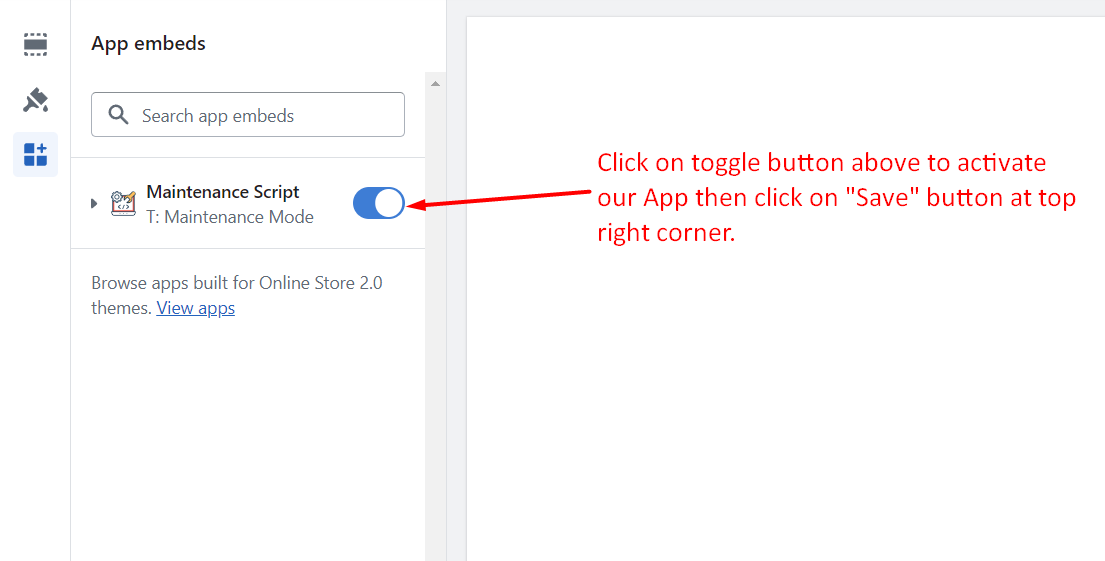
- Go to Online Store > Themes in your Shopify Admin.
- Click Customize on your current theme.
- Navigate to the App embeds section on the left sidebar.
- Enable the "Maintenance Script" toggle.
- Click Save at the top right corner.
Frontend View
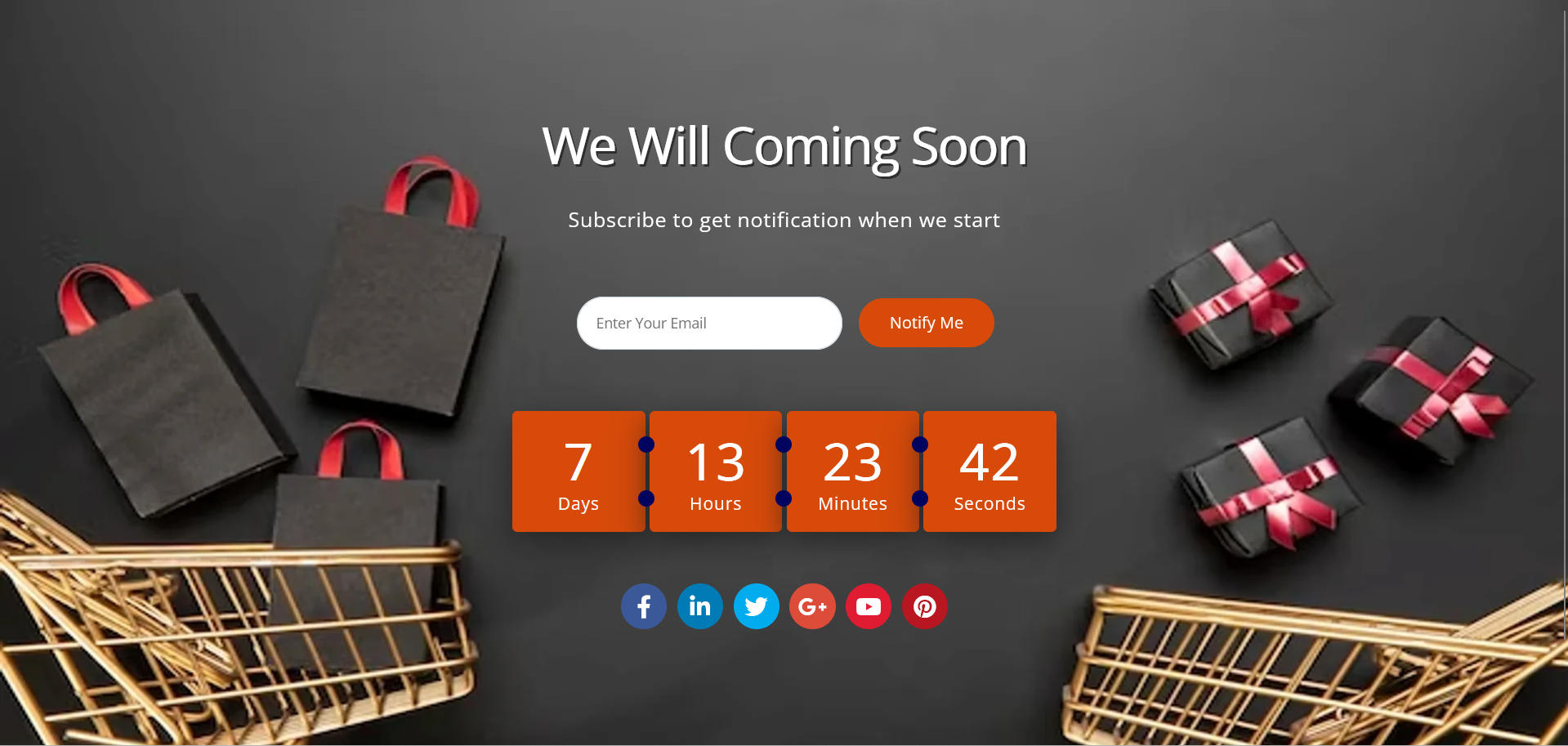
Once activated and configured, your store will display the beautiful maintenance mode landing page to all visitors.
General Configuration
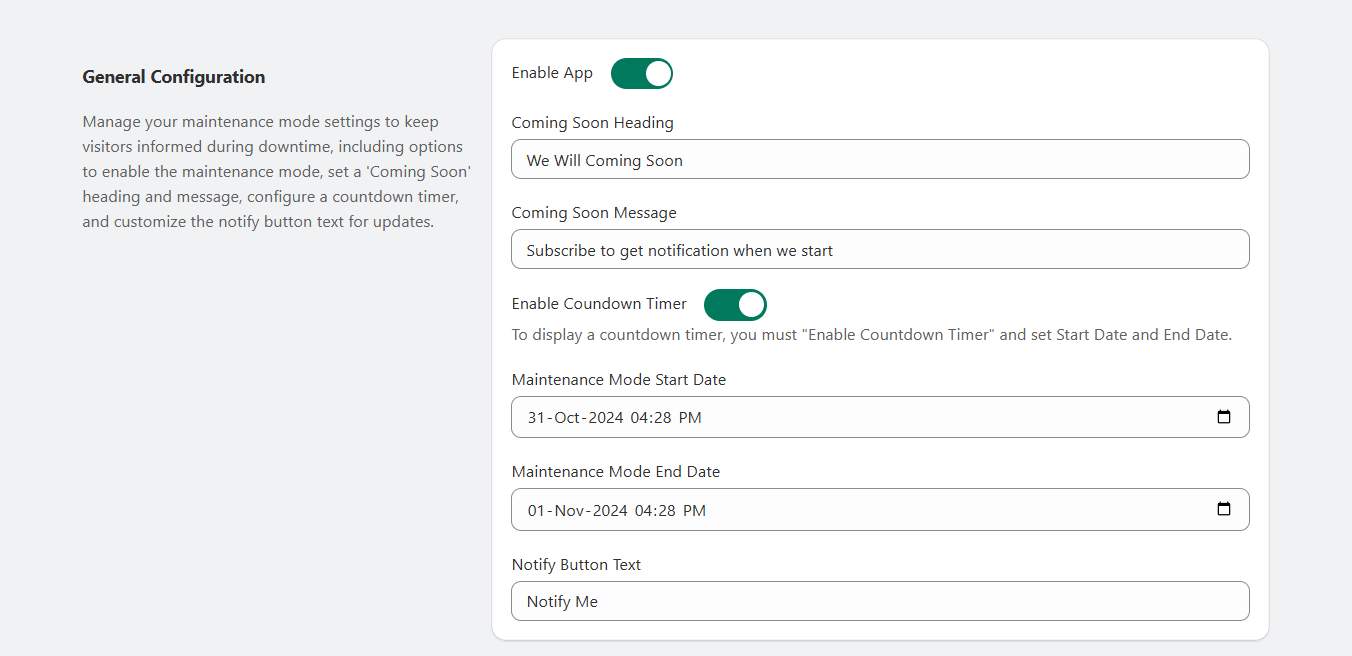
Go to Admin > Apps > T: Maintenance Mode > General Configuration to manage your app settings.
i. General Settings
Manage various settings including the countdown timer, coming soon message, and the notify button.
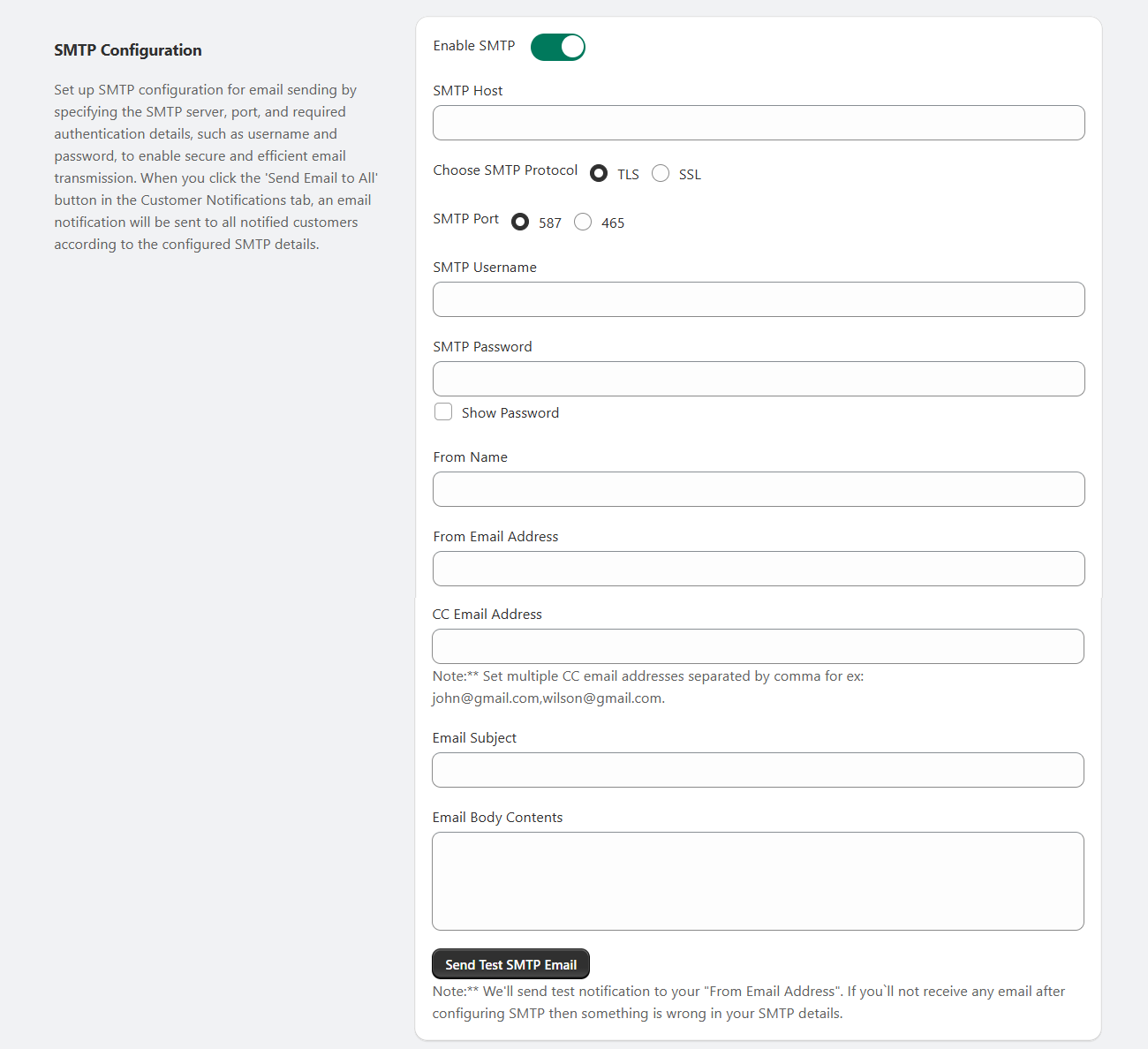
ii. SMTP Configuration
Configure email settings so the app can send notifications to your customers.
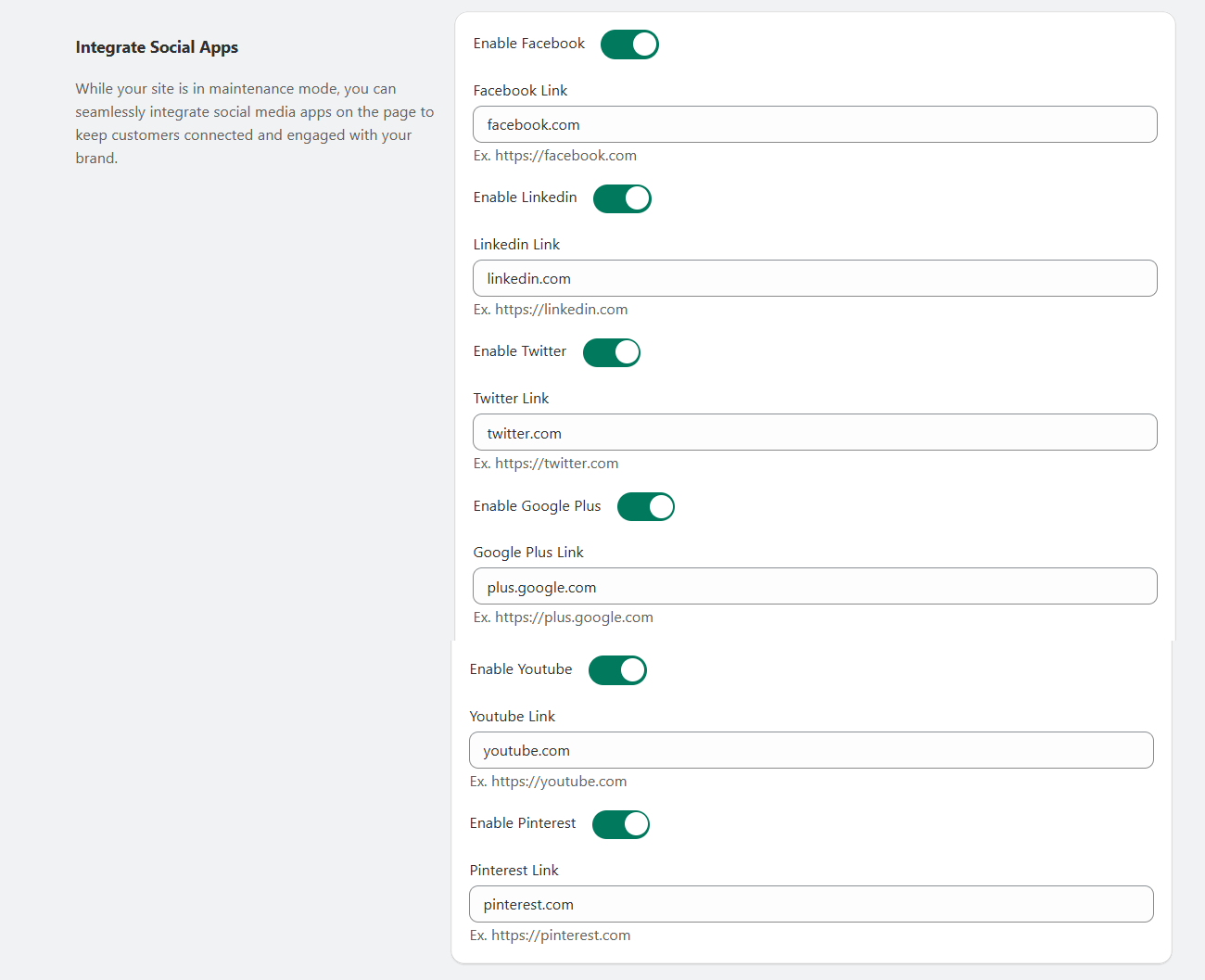
iii. Integrate Social Apps
Link your social media profiles to display them directly on the maintenance page.
Customer Notifications
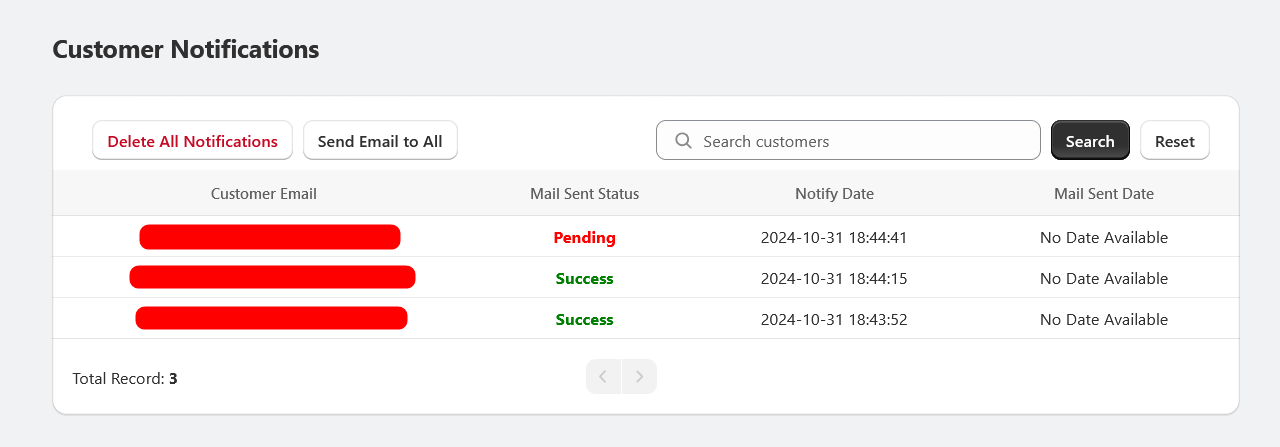
Go to Admin > Apps > T: Maintenance Mode > Customer Notifications.
From here, you can view and manage all customers who have subscribed to be notified when your store launches.
Design Customizations
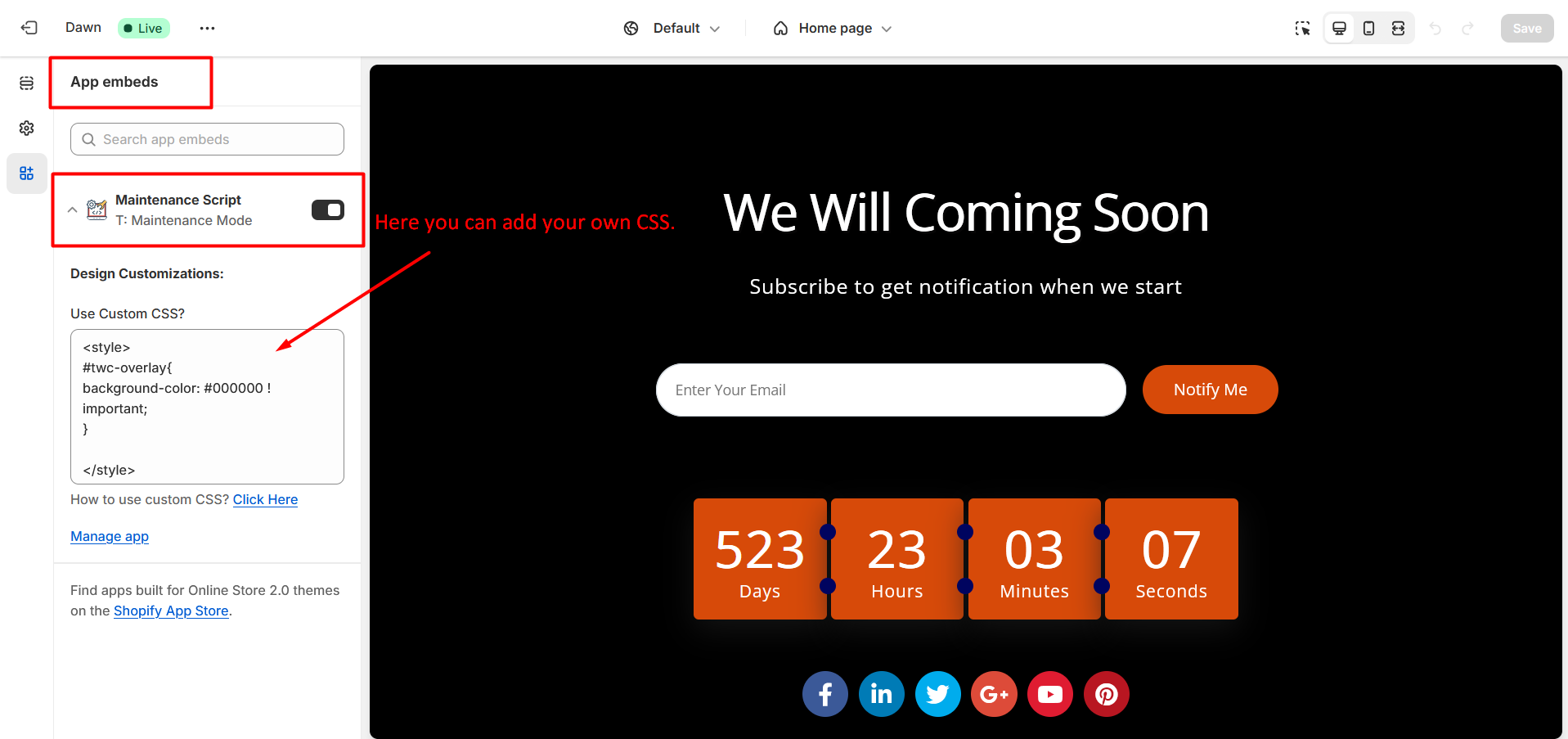
If you want to apply your own styles to the maintenance page:
- Go to Online Store > Themes > Customize.
- Open the App embeds section and expand the Maintenance Script block.
- Enter your own custom CSS rules in the provided field.
Frequently Asked Questions
Find quick answers to common questions about the T: Maintenance Mode App.
You can enable the maintenance mode by going to Online Store > Themes > Customize. Enable the App embed for "Maintenance Script" and click Save. Make sure to configure the general settings from the App admin panel.
The app costs $1 USD per month. We also offer a 3-day free trial so you can test all features before being billed.
Yes, you can fully customize the frontend design. The app provides built-in configuration options, and you can also add custom CSS via the Shopify Theme Customize section under App embeds.
When your website is under construction, customers can leave their email addresses. Once your store is live, you can automatically notify them via customized emails. You can configure the SMTP and email templates from the App admin.
Privacy Policy
What kinds of information are collected by our App?
By granting the following App permissions upon installation, we can automatically access certain types of information:
- Read Themes: Upon installation of the app, it will automatically read app files in your online store's published theme.
- Merchant Details: We are storing Merchant information in accordance with Shopify's requirements, which enables us to determine if the merchant has previously used our App.
What is our use of your personal information?
We only use the personal information collected from you for the purpose of delivering the service and running the App.
Contact Us
We are always here to help you. If you have any questions, face any issues, or need further assistance with the T: Maintenance Mode App, please don't hesitate to reach out.
- Email: info@techwebcreation.com
- Website: techwebcreation.com